+
.nz
USD
  • Account
  • Sign Up
  • Sign In
You have no items in your shopping cart.
ABOUT 1OUTLETS
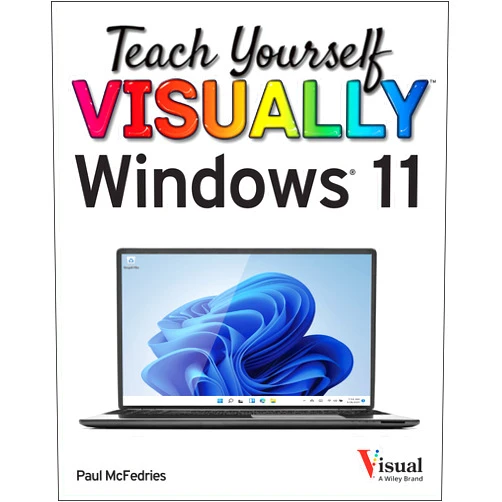
Home Shopping Other Teach Yourself VISUALLY Windows 11 (Teach Yourself VISUALLY (Tech))
By Paul McFedries (Author) Teach Yourself VISUALLY Windows 11 (Teach Yourself VISUALLY (Tech))

By Paul McFedries (Author) Teach Yourself VISUALLY Windows 11 (Teach Yourself VISUALLY (Tech))

( 493 reviews ) See Reviews (1Outlets)

In stock *In Stock - Subject to stock availability at point of fulfilment. In the event whereby the item is out of stock or unable to provide the service, 1Outlets will cancel the order and issue a Full refund in-store credit to you. SKU : f17f5347556b67cfe62ba3a9cd9483d9

USD13.34
  • Buy 2 for USD12.74 each and save 5%
  • Buy 10 for USD12.32 each and save 8%
Qty:

**Free Shipping Worldwide available - Shipping time may vary depending on the address.

**Circumstances Reroute - This is a time of great stress and uncertainty. We are actively validating, routing and re-routing orders with our overseas merchants, logistic partners and airlines. Deliveries and supply may expect delays.

**In Stock (Low Inventory Warning) - Subject to stock availability at point of fulfilment. In the event whereby the item is out of stock or unable to provide the service, 1Outlets will cancel the order and issue a Full refund in-store credit to you (See Refunds).

**Report or Request Removal  - Any copyrighted, DMCA, inappropriate, offensive, prohibited, potentially Illegal Listings (Submit doc here).

Details

Conquer Windows 11 with Ease!

Master the exciting world of Teach Yourself VISUALLY Windows 11! This visually rich guide makes learning fun and straightforward, transforming tech novices into confident Windows 11 users. The clear, step-by-step instructions and engaging visuals ensure a smooth learning journey, regardless of your prior experience.

Main Features

  • Visual Learning: The book uses a wealth of screenshots and diagrams, making complex concepts easy to grasp.
  • Step-by-Step Instructions: Follow clear, concise directions to master each Windows 11 feature.
  • Comprehensive Coverage: Explore all essential aspects of Windows 11, from basic navigation to advanced settings.
  • Beginner-Friendly Approach: The book is designed for users with little to no prior computer experience.
  • Practical Exercises: Reinforce your learning with hands-on activities.

Benefits

  • Increased Computer Confidence: Gain the skills and knowledge to use Windows 11 effectively.
  • Improved Productivity: Work smarter, not harder, by mastering efficient Windows 11 techniques.
  • Enhanced Tech Literacy: Expand your understanding of computer technology and its applications.
  • Time Saving: Learn quickly and efficiently, avoiding frustrating trial-and-error.
  • Empowerment: Become independent and resourceful in managing your digital world.

Unique Selling Points / Competitive Advantages

  • Visually-Driven Approach: Unique visual design fosters understanding and retention.
  • Simple Language: Avoids jargon, making the material accessible to everyone.
  • Practical Focus: Teaches skills directly applicable to daily computer use.
  • Comprehensive yet Concise: Covers a broad range of topics without overwhelming the reader.
  • Engaging Format: Keeps readers motivated and interested throughout the learning process.

Usage Scenarios

  • New computer users: Perfect for those receiving a new Windows 11 PC.
  • Students: Ideal for learning essential computer skills for schoolwork.
  • Adults returning to school or work: A great resource for refreshing or acquiring new digital literacy.
  • Seniors: A user-friendly guide for mastering modern technology at their own pace.
  • Anyone wanting to upgrade their Windows skills: A simple way to maximize potential.

Customer Reviews / Testimonials

  • "This book is amazing! The visuals make it so easy to follow." - Maria S., Spain, 2023
  • "I finally understand Windows 11 thanks to this guide!" - John B., Canada, 2022
  • "Highly recommend this for anyone wanting a straightforward approach to Windows 11." - Aisha K., Nigeria, 2024
  • "Clear, concise, and perfect for beginners. Love the visuals!" - David L., Australia, 2023
  • "Best Windows 11 tutorial I've ever used!" - Elena R., Italy, 2024

Frequently Asked Questions

  • Q: Is this book suitable for complete beginners? A: Absolutely! The Teach Yourself VISUALLY Windows 11 book is designed for users with no prior experience.
  • Q: Does the book cover all aspects of Windows 11? A: The book covers the essential features and functions of Windows 11.
  • Q: What makes this book different from other Windows 11 guides? A: Its clear, visual approach makes learning fun and easy.
  • Q: How long will it take to learn Windows 11 using this book? A: The learning time varies, depending on your prior experience and learning pace.
  • Q: Is this book suitable for children? A: The content is age-appropriate and easily digestible, making it suitable for older children with adult supervision.

BUY NOW

Experience the joy of mastering Windows 11! Get your copy of Teach Yourself VISUALLY Windows 11 today and unlock a world of digital possibilities. Embrace the future, explore the potential, and transform your tech skills!

(Beta: User Generated 2024.0007)
Specification
Category: Other
Weight: 1.0477983747kgs
Language: English
ISBN-13: 978-1119866442
Terms & Warning